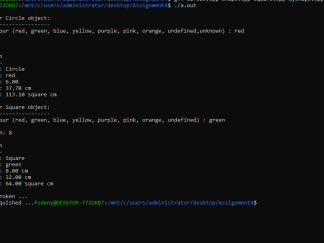
In this assignment, you will be (once again) modifying your Assign-05 code to use more inheritance. As well, in this assignment, you will be asked to use new and delete, throw and catch exceptions and also create / use virtual functions.
More Types of Radios
- Create a new class called PioneerAM. This class will inherit from PioneerCarRadio. o PioneerAM behaves like PioneerCarRadio except that it operates in the AM band only! o There is no ability to change to the FM band – they shouldn’t even display the FM band o Do this by overriding the appropriate methods that are in the parent class or grandparent class.
- Create a new class called PioneerWorld. This class will inherit from PioneerAM.
- PioneerWorld behaves like PioneerAM
- Except that the AM band range is 531 kHz to 1602 kHz
- And the interval between frequencies is 9 kHz, not 10 kHz
- So scanning up from 531 would bring you to 540, then 549, etc. Wrapping from 1602 brings you to 531.
- Do this by overriding the appropriate methods that are in the parent class or grandparent class.
- PioneerWorld behaves like PioneerAM
New/Delete and Exceptions
- Create a new testHarness (i.e. your main()) and put it in a file called cpp. In this main o Change your PioneerCarRadio variable to be a pointer
- Give it an initial value of NULL o Call this variable pRadio.
- When your program starts o You will need to create and call a function named createRadio() that takes a string (or char pointer … your choice) to determine which type of radio you want to start with and returns a pointer to that radio back to main() and into the pRadio pointer.
- Your program will need to get this string (or char pointer) from the command line arguments of the program
- This means you needs to take in and parse command-line arguments
- This function will exist in the ultimateRadio.cpp file and when passed the string (or char pointer) will …
- If the program is started with the runtime switch of –car then instantiate a new PioneerCarRadio object and return it to assign it to pRadio.
- If the program is started with the runtime switch of –am then instantiate a new PioneerAM object and return it to assign it to pRadio.
- If the program is started with the runtime switch of –world then instantiate a new PioneerWorld object and return it to assign it to pRadio.
- Otherwise, throw an exception.
- Remember you will need to write this createRadio() function
- Since it will be throwing exception(s), remember to put the call to createRadio() in a try block o Remember that you will initially be getting this function’s parameter from a command line argument o In the catch clause, print an error message and quit the program o Make sure to instantiate each radio in an off state
- Whenever you use new, use the principles discussed in class to handle this correctly. o You are required to use the “new” new in this assignment o Use exception handling to detect out-of-memory situations
Virtual Functions
- In order to implement these 2 new children classes, you will once again need to override some methods
- Make any overridden methods virtual in the parent class o Recommendations: ToggleFrequency(), ScanUp(), ScanDown().
- Since we are using virtual functions, remember best practices and make all destructors virtual
Switching Radios and Quitting the Program
- Each specialized radio class needs to tell the user who they are … o The PioneerCarRadio already does with the Pioneer XS440 that appears in its output o Make the PioneerAM class say Pioneer XS440-AM
- And the PioneerWorld class say Pioneer XS440-WRLD
- Create a destructor for each new class o In each destructor, simply print a message stating which radio is being destroyed
▪ e.g. “Destroying Pioneer XS440-WRLD Radio” o The only message that should be seen from any destructor is the one from the actual data-type of the instance being destroyed
- The output from PioneerCarRadio, PioneerAM and PioneerWorld is somewhat the same … except for the difference in its name (i.e. the first line of output) and the presence/absence of the FM band … o Try to think of a clever way to implement this “radio name” idea …
- Perhaps by adding a data member to one of the classes to hold the name … hmmm…
- Each radio instance that is created, will run until the ‘x’ key is pressed within that instance o This means that each of the “Pioneer” classes shares the same input processing
- As developed in Assign-05 o Once an ‘x’ key is pressed, the radio object is destroyed in the ultimateRadio.cpp source o And do nothing until the user presses one of the following keys
- c — to create and run a new PioneerCarRadio radio
- a — to create and run a new PioneerAM radio
- w — to create and run a new PioneerWorld radio
- x – to quit the program
- Note that these keystrokes will need to be captured and processed within your testHarness
(where the new radio would be created)
In Case It Makes Things Easier
- You can create mutators and accessors for whatever private data members you need to from the AmFmRadio class
What Not To Do
- Don’t put excessive amounts of the parent class’s functionality (PioneerCarRadio) in the child classes
(PioneerAM, PioneerWorld) unnecessarily o This is duplicating functionality and code – a definite no-no