First, make sure to read the full project overview. It contains instructions for the project as a whole and getting started with the code. This page describes only what you should do for Milestone A within the broader context of that project overview.
For Milestone A, your goal is to simply demonstrate that you have set up the project infrastructure to run on your local computer and have made a submission to Gradescope. 50% of your grade on Milestone A is earned by meeting the minimum performance requirement; 50% of your grade is earned by completing the milestone journal.
Performance Requirement
For Milestone A, your performance requirement is to answer one problem correctly in Gradescope. As long as you answer at least one problem correctly in a Milestone A Gradescope submission, you will earn the full performance credit for Milestone A. Your answer can be hard-coded, randomly selected, etc.; the goal is simply to show that you can modify the Agent.py file to generate an answer to a problem and submit that to Gradescope.
While that is the only requirement, we highly recommend also familiarizing yourself with how to start working with the problem input format so that you’re ready for the real work in the next milestone.
Performance Submission Instructions
To fulfill the Performance Requirement, follow the directions on the full project overview for submitting to Gradescope, and then submit your agent to the Milestone A assignment.
After submitting to the Milestone A assignment in Gradescope, make sure to select which submission you want to have count for your graded submission. By default, Gradescope will use your latest submission, but you may want to use an earlier one. After the deadline, this will be exported to Canvas to calculate your final Milestone grade.
You may submit up to 40 times prior to the deadline. The large majority of students do not need nearly that many submissions, so do not feel like you should use all 40; this cap is in place primarily to prevent brute force methods for farming information about patterns in hidden test cases or submitting highly random agents hoping for a lucky submission. Note that Gradescope has no way for us to increase your individual number of submissions, so we cannot return submissions to you in the case of errors or other issues, but you should have more than enough submissions to handle errors if they arise.
This is an individual assignment. All work you submit should be your own. Make sure to cite any sources you reference or code you use (in accordance with the broader class policy on code reuse).
Milestone Journal
In addition to submitting an agent to Gradescope, you will also submit a brief milestone journal to the Milestone A assignment in Canvas. Your Milestone Journal must be written in JDF format. There is no maximum length; we expect most submissions to be around 5 pages, but you may write more if you would like. Writing the journal is intended to be a useful exercise for you first and foremost: it should let you externalize and formalize your ideas, it should let you get feedback from your classmates, and it should let your classmates learn from you. Your journal should not include actual code; it should just include your ideas.
For Milestone A, you may not have done much actual development on your project. Instead, this is an opportunity to begin brainstorming how you will approach the project. You should answer the following questions:
- How would you, as a human, reason through ARC-AGI problems? Choose three or four problems and describe your human approach.
- How do you expect you will design an agent to approach these problems? Will it try to identify which of a known set of transformations are occurring, or will it try to infer new transformations based on the contents of the problems? Explain why your Agent’s approach will work in addressing some of the problems identified in the first bullet point.
- As it relates to the first and second bullet point, what do you anticipate your biggest challenges in designing your agent will be and why?
Journal Submission Instructions
Complete your assignment using JDFLinks to an external site., then save your submission as a PDF. Assignments should be submitted to the corresponding assignment submission page in Canvas. You should submit a single PDF for this assignment. If your assignment involves things (like videos, working software prototypes, etc.) that cannot be provided in PDF, you should provide them separately (through OneDrive, Google Drive, Dropbox, etc.) and submit a PDF that links to or otherwise describes how to access that material. Make sure that any content outside the PDF is, at a minimum, accessible to anyone with a Georgia Tech account; we recommend confirming in an incognito browser that any content outside the uploaded PDF is available prior to the deadline as no credit can be given for inaccessible content.
Participating in peer review is optional but highly encouraged, and is the primary expected way to earn points toward your class participation grade. To participate in peer review, submit to the separate peer review assignment in Canvas to share your assignment with peers and receive assignments to review in turn. Review the Primer on Peer Review page for more details.
Late work is not accepted without advanced agreement except in cases of medical or family emergencies. In the case of such an emergency, please contact the Dean of StudentsLinks to an external site..
This is an individual assignment. Even if you already plan to work on a team for the project, this assignment should still be completed individually.
Grading Information
Your report is worth 50% of your milestone grade. As such, your report will be graded on a 10-point scale coinciding with a rubric designed to mirror the questions above. Make sure to answer those questions; if any of the questions are irrelevant to the design of your agent, explain why.
Rubric
| Criteria | Ratings | Pts |
|---|---|---|
|
JDF Format Does your submission conform to the important parts of JDF formatting—that is, margin size, line spacing, font, and font size?
|
||
|
Human Approach 3 points: How do you feel you, as a human, reason through the problems on the ARC-AGI test?
|
||
|
Problem Selection 2 points: Choose three or four problems and describe your own approach.
|
||
|
Agent Approach 4 points: How do you expect you will design an agent to approach these problems?
|
||
|
Challenges 1 points: What do you anticipate your biggest challenges in designing your agent will be?
|
ARC-AGI Project Overview
Our semester-long class project involves constructing an AI agent to address a human intelligence test—specifically, the ARC-AGI benchmark. The project is due at the end of the semester, but there are a number of required milestones to pass along the way. These are (a) to ensure that you are getting an early enough start to have a chance for success and (b) to give you opportunities to see your classmates’ approaches and possibly incorporate their ideas into your own project.
This page covers the project as a whole, emphasizing what your end-goal is for the end of the semester.
In a (Large) Nutshell
The CS7637 class project is to create an AI agent that can pass a human intelligence test. You’ll download a code package that contains the boilerplate necessary to run an agent you design against a set of problems inspired by the Abstract and Reasoning Corpus for Artificial General Intelligence benchmarkLinks to an external site.. This test, proposed by François Chollet in 2019, specifically aims to test AI systems for their progress towards artificial general intelligence. Within this code package, you’ll implement the Agent.py file to take in a problem and return an answer.
Altogether, your agent will ultimately solve 96 problems, either derived from or inspired by ARC-AGI tasks. 48 of these will be available to you; we call these the Training tasks or problems, and these can also be found in either the Training or Evaluation sets of the actual ARC-AGI competition. 48 of these will be hidden from you; we call these the Test tasks or problems, and these are our own original creations; however, they are all written to directly mimic the reasoning of at least one of the problems in the Training set.
These 96 problems are further divided into three subsets of problems, which we call B, C, and D to match the milestones. Each set consists of 16 Training and 16 Test problems.
For each problem the agent will be given compiled JSON file. The driver code will read in each file and convert it into a data structure (see Working With the Code section for more details). You do not need to concern yourself with the JSON file as the driver code handles converting this data over into python objects that your agent can use. Normally the files (which can be read in using the standard JSON library and this will produce a Dictionary of Dictionaries of Dictionaries…). and while you might find this useful, its not necessary to use the data in this form and we create python objects out of this (ArcProblem, ArcSet, ArcData) to make it easier, so you don’t have to worry about the boiler plate stuff and can concentrate on solving the problems.
Don’t worry if the above doesn’t make sense quite yet — the projects are a bit complex when you’re getting started. The goal of this section is just to provide you with a high-level view so that the rest of this document makes a bit more sense.
Background and Goals
This section covers the learning goals and background information necessary to understand the projects.
Learning Goals
One goal of Knowledge-Based Artificial Intelligence is to create human-like, human-level intelligence, and to use that to reflect on how humans actually think. If this is the goal of the field, then what better way to evaluate intelligence of an agent than by having it take the same intelligence tests that humans take?
For many years, we used the Raven’s Progressive Matrices test of human intelligence for this project because it is commonly used to assess actual human intelligence. However, in 2019, François Chollet wrote a paper titled “On the Measure of Intelligence”Links to an external site. wherein he introduced “Abstract and Reasoning Corpus for Artificial General Intelligence”, a new way to approach assessing artificial intelligence. While this test has not (to our knowledge) been used with actual humans to evaluate intelligence, it nonetheless captures the spirit of evaluating computer intelligence on tasks of human-like reasoning.
You can try out problems on the ARC-AGI benchmark yourself at their daily puzzle siteLinks to an external site.. Each problem gives the solver a set of input-output pairs. For example, puzzle 782b5218 shows these three input-output pairs:
The solver is then given a new frame of input, and tasked with authoring the corresponding output for that frame:
Grid size can vary within and across problems; for example, while in this problem every input and output frame is 10×10, other problems might have the output frames always be bigger than the corresponding input frames, or smaller. Thus, deciding what size grid to output is one of the tasks of the solver. Within the grid, each cell can be colored with one of 10 colors, although we will represent these “colors” with the integers 0 through 9. The solver’s guess is thus a grid of some size they define, populated by cells colored with one of these ten colors.
For the above problem, for instance, the pattern appears to be: fill in below the red line with whatever color is observed aside from the red line. The pattern does not seem to care if there are enough non-red cells to “fill” the black area, the area below the red line is always entirely filled. So, the solver might propose this solution:
And sure enough, this solution proves correct!
In these projects, you will design agents that will address ARC-AGI-inspired problems such as the one above. The goal of this project is to authentically experience the overall goals of knowledge-based AI: to design an agent with human-like, human-level intelligence; to test that agent against a set of authentic problems; and to use that agent’s performance to reflect on what we believe about human cognition. As such, you might not use every topic covered in KBAI on the projects; the topics covered give a bottom-up view of the topics and principles KBAI, while the project gives a top-down view of the goals and concepts of KBAI.
We strongly recommend reading more about the ARC-AGI benchmark as a whole as you prepare to work on this project, including solving many of the problems yourself to get a feel for how they work. You can complete any of the problems yourself at the ARC Prize Play siteLinks to an external site., and read more about it in their guideLinks to an external site. and their blogLinks to an external site.. It is important to note as well that students own the work they do for this class; therefore, if you want to turn around and submit your work to the actual ARC-AGI prize, you are more than welcome to, and you are entitled to any prize money you win. We only ask that you remember us when you’re rich and famous.
About the Test
The full ARC-AGI V1 benchmark test consists of 800 public problems (400 training, 400 evaluation), as well as private problems that are only used to evaluate agents in competition. For this class, we have pulled out 48 problems from these 800 to serve as our Training problems, and then written our own 48 original private Test problems to create a 96-problem test.
These 96 problems are subdivided into three Sets: Set B, Set C, and Set D. Each Set consists of 16 Training and 16 Test problems. In designing your agent, you’ll have access to the Training problems. You may run your agent locally to check its performance on these problems, and your agent will also address these problems when submitted to the Gradescope autograder. You will not have access to the Test problems when designing and testing your agent: when you upload your agent to Gradescope, you will see how well it performs on those problems, but you will not see the details of the problems themselves.
Details & Deliverables
This section covers the more specific details of the four project milestones, as well as the final project you will submit.
Project Milestones
Your ultimate goal is to submit a final project that attempts all 96 problems. However, to help ensure that you start early and to give you an opportunity to see and learn from your classmates’ approaches, there are four intermediate milestones. On each of these milestones, your agent will only run against a subset of the full set of problems to allow you to test more efficiently. You will also write a brief report on your current approach for each milestone; the primary purpose of these reports will be to help you get feedback from classmates and see their approaches. For each milestone, you will be graded on a combination of your agent’s performance and the report that you write; the bars for performance on the milestones are relatively low, however, as the goal is to ensure that you are getting started early.
Each milestone has its own page. In brief, however:
- Milestone A: Set B, Training Problems only. The goal of this milestone is simply to ensure you’ve set up your local project infrastructure and familiarized yourself with Gradescope. You will receive 100% of your performance credit as long as your agent answers any problem correctly. Your report will focus on early ideas you have for approaching the project.
- Milestone B: Set B, both Training and Test problems. The goal of this milestone is to ensure you have started on the early, easier problems early in the semester. As long as your agent can answer 6 (out of 16) Training B and 6 (out of 16) Test B problems correctly, you will receive full performance credit.
- Milestone C: Set C, both Training and Test problems. The goal of this milestone is to ensure you have made progress on the more difficult Set C problems by an appropriate time of the semester. As long as your agent can answer 6 (out of 16) Training C and 6 (out of 16) Test C problems correctly, you will receive full performance credit.
- Milestone D: Set D, both Training and Test problems. The goal of this milestone is to ensure you have looked at all three sets before the final project deadline, so that you may spend the last portion of the semester refining, improving, and writing your final report. As long as your agent can answer 6 (out of 16) Training and 6 (out of 16) Test D problems, you will receive full performance credit.
For each milestone, your code must be submitted to the autograder by the deadline. However, it is okay if your project is still running after the deadline. Note that Gradescope by default counts your last submission for a grade; if you want to count an earlier submission, you must activate that earlier submission.
On each milestone, your grade will be 50% meeting the performance expectations and 50% the report you write up. You will submit your agent to Gradescope and your report to Canvas as a PDF. The four milestones together are 15% of your course grade; each is thus 3.75% of your course grade.
Final Project
The final project will run against all 96 problems. You can submit to the final project throughout the semester to see how your agent is doing so far, but you should make sure to submit to the Milestone submissions as well.
More information about the final project is available on the final project page. For the final project, you will write a longer, more formal, and more complete report on your project. Your score will be based on raw performance on the Basic and Test problems. Like the milestones, performance will be 50% of your grade and your report will be 50% of your grade. Your final project is 15% of your course grade.
Getting Started
To make it easier to start the project and focus on the concepts involved (rather than the nuts and bolts of reading in problems and writing out answers), you’ll be working from an agent framework in Python.
- Download Arc-Agi Starter Code Download Arc-Agi Starter Codeas a zip file from the Files/Starter Code section on Canvas
- There is also an ARC-AGI-master.zip Download ARC-AGI-master.zipfile in the Starter Code/ Arc-Agi directory that comes from the Arc web site that contains all the public V1 problems (training & evaluation) and a web viewer app that you can use to manually open and solve arc style problems.
You will place your code into the ‘make_predictions’ method of the Agent class supplied. You can also create any additional methods, classes, and files needed to organize your code; ‘make_predictions’ is simply the entry point into your agent.
The Problem Sets
As mentioned previously, by the final project, your agent will run against 96 problems: three Sets of 32 problems. Each of the three Sets is broken down into two subsets of 16: 16 Training problems & 16 Test problems. Within each set, each Test problem is constructed to be roughly analogous to a particular Training problem. No new reasoning is introduced in the Test problems that cannot be seen on some particular Training problem we’ve supplied. Our training problems may come from either the publicly available Training or Evaluation problems (though we refer to them as just training.
You can see the Training problems and test your agent’s performance locally. You cannot see the Test problems, and your agent’s performance will only be tested when you submit to Gradescope. Your grade will be based on solving both the Training and Test problems.
The Problems
You are provided with the problems to use in designing your agent. The Test problems are hidden and will only be used when grading your project when submitted to the autograder. This is to test your agents for generality: it isn’t hard to design an agent that can answer questions it has already seen, just as it would not be hard to score well on a test you have already taken before. However, performing well on problems you and your agent haven’t seen before is a more reliable test of intelligence. Your grade is based on your agent’s performance on the Training and Test problems.
All problems are contained within the Milestones folder of the downloadable. Problems are divided into sets, and then into individual problems. Each milestone’s folder has 16 JSON files that can be opened in the web application (from the arc website or in the provided starter code directory):
While you may open these files, they are not meant to be human understandable. While you may read them and decipher information from them its not the easiest thing to do. They do contain all the “training data” that your agent will use for understanding the problem it should solve, and also test data for which the agent should solve using knowledge it gleaned from the training data as well as the correct answer.
You should not attempt to access the problem’s test answer directly from your agent’s processing code. Generally, you should only use this to validate your agents answers when working locally but not while its trying to solve the problem. In the autograder, we remove the test data output prior to your agent receiving the data (including the training data set) so if you try to access this your agent will probably throw an exception and fail to run all or part of the test. We encourage you to write a test class that can score your agent and/or evaluate how close the test input and output match the correct answer, if you want (it’s not a requirement but you might find it helpful as you only get 40 submissions on gradescope for each milestone).
Working with the Code
The framework code is available under Getting Started above (or the Files/Starter Code/Arc-Agi directory). You may modify the problems in the Milestones sub directories to test additional problems but you should not modify the problems that are provided for you as these will be the problems your agent is tested against. This will not affect what it runs against on Gradescope (they are always the same 16 files) and should be solved without hardcoding the answers. The agent must authentically solve the training problems and hardcoding is not an acceptable form for answers.
The Code
The downloadable package has a number of Python files: ArcProblem, ArcSet, ArcData, and ArcAgent. Of these, you should only modify the ArcAgent class; the others are there to hold the data your agent will receive when it runs (and you will only be submitting the ArcAgent file to Gradescope) so any changes you would make to the others will not be used as they will be replaced with local copies on gradescope.
Each problem found in the Milestone directory is read in to be an ArcProblem object. Your agent will be passed 1 ArcProblem at a time and its job is to solve the problem and return and answer. Once the agent returns an answer it will receive the next problem. This process continues until the agent receives all the problems for the given set (16 problems when running locally for each milestone & 32 problems when running in Gradescope for each milestone, 96 total for the Final).
Each ArcProblem is made up of a list of ArcSet(s) and a single ArcSet. The list of ArcSet(s) represents the training input of the problem. If you look at the example given above in that particular problem the ArcProblem list would have 3 sets of ArcSet objects. The single ArcSet represents the test input.
Each ArcSet contains exactly 2 ArcData objects; an INPUT and an OUTPUT. These ArcData objects are the actual data and your agent can access them via a call to the method arc_problem.training_set()[0].get_input_data().data() which will return the first training data which is a numpy ndarray. The array is a 2 dimensional array that represents the grid (rows and columns) filled with a number; 0 representing black and a number from [1..9] representing a color block (see below under Documentation for a more concise breakdown).
In addition to these files there is also ArcProblemPlot and ArcColors which may be used to view individual problems. These files are only supplied as a courtesy and will allow you to print the output your agent returns and you must modify the ArcDriver code to use it or write your own test suite (which we highly recommend!). Do not include calls to either of these from your agent (or import matplotlib), as your agent will fail to run in Gradescope.
You may write and upload support files along with your agent code. Gradescope will only allow .py files so be aware. We will use the original versions of all the other files as contained in the original zip file. Do not rely on changes to any class except for ArcAgent.py and any auxiliary files you create to run your code (you may also write your own additional files and classes for inclusion in your project).
In ArcAgent, you will find two methods: a constructor and a make_predictions method. The constructor (__init__) will be called at the beginning of the program, so you may use this method to initialize any information necessary before your agent begins solving problems (remember this method is only called 1 time). After that, make_predictions will be called on each new problem. You should write the make_predictions method to return a list of answers to the given problems. Your agent will be given several problems:
- 16 Training problems (given in the starter code)
- 16 Test problems (similar in design to the training problems, and while they may use similar logic, they will contain completely different data then the public training problems)
- If your agent wants to skip a question, it should return an empty list (though it will still be included in the final score
You may do all the processing within make_predictions method, or you may write other methods and classes to help your agent solve the problems.
Your agent should return a List of answers. You may provide up to 3 predictions for each problem. Each prediction is a numpy ndarray representing the output from the Test Input in each problem. If the agent returns more than 3 predictions, the problem is automatically marked as wrong and the agent will not be given credit even if the correct answer is present in the predictions. Only a maximum of 3 predictions (you may of course return less than 3 but never more than 3). Below is a simplistic overview of the classes that the agent will use and the methods that are contained in each class.
Running the Code Locally
When running the ArcDriver.py file, the program will load questions from the Milestones folder. It will then ask your agent to solve each problem one by one and write the results to a file called Milestone_Results.csv. You may check the Milestone_Results.csv after the agent has finished running locally to see how well your agent performed. The Milestone_Results.csv contain the problem name, whether your agent answered it correctly, the correct answer and the agent’s predictions (up to 3).
You’ll notice in the ArcDriver the method run_training_data(…) it makes a call to test_set().get_output_data().data() and you should not rely on this in the agent (see the next section). We keep these intact so that you may use them if you should write your own test suite to testing your agent.
Running the Code on Gradescope
You should be aware of a couple of things that are different when running on gradescope. First, all Test Outputs are removed from the problem before the agent get them. If your agent makes a call to retrieve the test output data it will return None, so don’t do it. The other thing that will not help your agent is the problem_name. These are changed before the agent receives the problem so that will not help your agent identify a problem in some future run.
The Documentation
- ArcDriver: The main driver of the project. This file will load the list of problem sets, initialize your agent, then pass the problems to your agent one by one. It also scores and writes the output to a csv file.
- ArcAgent: The class in which you will define your agent. When you run the project, your Agent will be constructed, and then its make_predictions method will be called on each ArcProblem. At the end of the make_predictions method, your agent should return a list of numpy ndarray(s) for its answer prediction. You may include up to 3 predictions for each problem (any additional answers above 3 will be considered an error and your agent will be scored as not correctly solving the problem even if the list contains a valid answer).
- ArcProblem: A single problem which includes the methods:
- problem_name: the name given for an individual problem (will never be the same in gradescope)
- training_set: list of ArcSet(s)
- test_set: a single ArcSet
- number_of_training_data_sets: which will return the length of the list of training set
- ArcSet: A single data set, which has input data and may or may not contain output data (more on that later). Methods include:
- get_input_data: returns the input data (ArcData)
- get_output_data: returns the output data (ArcData)
- __eq__: a convenience method to test if 2 ArcSets are equal in data (not the same ArcSet)
- ArcData: the underlying data of the problem. Method include:
- data: returns the underlying numpy ndarray data
- shape: returns the shape of the numpy ndarray
- __eq__: returns if this numpy ndarray equals some other ndarray data (not necessarily the same array)
The documentation is ultimately somewhat straightforward, but it can be complicated when you’re initially getting used to it. The most important things to remember are:
- Every time make_predictions is called, your agent is given a single problem. By the end of make_predictions method, it should return an answer as a list of numpy arrays (a maximum of 3). You don’t need to worry about how the problems are loaded from the files, how the problem sets are organized, or how the results are printed. You need only worry about writing the make_predictions method, which solves one question at a time.
- ArcProblems have a of list of ArcSets (training data), and an ArcSet (test data). Each training and test data is a collection of ArcSet which contains an input ArcData and output ArcData. ArcData is a wrapper around a numpy ndarray (the actual data).
In essence each problem the agent is to solve will have training data in which it will use to evaluate to come to a conclusion as to how the test is to be solved. In many problems, each training data pair is complete and all the training data solves in the exact same way which equates to how the test should also be solved (i.e. rotating the input data 90 degrees gets you to output data, so rotating the test input data should equal the test output data). Other problems are not so straightforward and requires additional logic to solve (i.e. finding shapes of data and performing some modification on that data to get to the output data).
Some of the more complex problems may contain several transformations. The hardest problems will also use all the training data as knowledge needed for solving the test like pairing input data color to output color change and these changes happen over all the training data such that each training data contains a different key that needs to be combined with other training data to solve the test. As you can see the problems can get quite complex yet from a human perspective might be trivial to solve.
It is suggested that you start by solving some of the problems manually using the web app (provided as a courtesy in the Canvas Start Code Directory). This will help give you a stronger foundation on what the agent is expected to do.
Libraries
The permitted libraries for this term’s project are:
- Any standard Python library that is normally included in the download (meaning you don’t need to do a pip or conda install)
- The Numpy library (2.3.5 at time of writing or see the requirements.txt file included in the starter code). For installation instructions on numpy, see this page.
-
scikit-learn==1.6.1
scikit-image==0.25.2
scipy==1.15.2
pandas==2.2.3
opencv-contrib-python-headless==4.11.0.86

torch==2.9.1
torchvision==0.24.1
Additionally, we use Python 3.13 for our autograder (any 3.13.x version should work).
NOTE: For this initial offering of the project we may allow additional libraries that are not currently NOT included in Gradescope, If you should find that your solutions require additional resource libraries, a request for these libraries should be made in a Private Post to the teaching staff. Your request will be evaluated by the teaching staff and a decision will be made as to whether the library will be permitted and uploaded to Gradescope. If you do not make a request or your request is denied, uploading a solution with the additional libraries will fail in gradescope and your submission will not be graded.
Creating a Local Test Suite
It is highly recommended that you create your own local test suite of problems as this will help gage if your agent is generalizing the problem enough. In many cases you can find edge cases that you may not have initially thought about. One way to do this is to use the included agi-io_creater Download agi-io_creater. The program can be found in the Arc starter files section of Canvas. Unzip the files and you will find a READ me file that explains how to use the application.
This application will allow you to quickly build problems. You can read in existing problems and change parts of it and save it out to a new file which the agent can then read in. You may also create problems from scratch. Either way it’s a great tool to help you in solving the problems and working out issues with your agent. If you should find any bugs in the application please reach out in a private post so we can address the problem.
Submitting Your Code
This class uses Gradescope, a server-side autograder, to evaluate your submission. This means you can see how your code is performing against the Training and Test problems even without seeing the problems themselves. You will have access to separate areas to submit against the Milestone checks and to submit for the final project.
Submitting
To get started submitting your code, go to Canvas and click Gradescope on the left sidebar. Then, click CS 4635/7637 in the page that loads.
You will see five project options: Milestone A, Milestone B, Milestone C, Milestone D and Final Project.
Milestone A will run your code only against the Training B problems. Milestone B will run your code only against the Training B and Test B, problems. Milestone C will run your code against the Training C and Test C problems. Milestone D will run your code against the Training D and Test D problems.
To submit your code, drag and drop your project files (ArcAgent.py and any support files you created; you should not submit the other files that we supplied) into the submission window. You may also zip your code up and upload the zip file. You’ll receive a confirmation message if your submission was successful; otherwise, take the corrective action specified in the error message and resubmit.
Getting Your Results
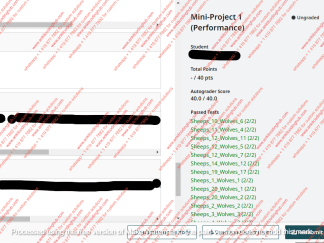
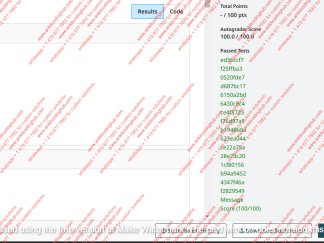
Then, wait for the autograder to finish. If there are no errors, you will see a detailed summary of your results. Each row on the left-hand side in the Autograder Result output is the result of a single problem from the problem set: you’ll see a problem name, whether the agent solved the problem correctly (True/False) and a list of the agent’s predictions (up to 3) and the correct answer (for the Training problems only, but not for the Test problems). Your overall score can be found at the top right of the screen (Total Points) as well as the bottom of the results section (Score). Also at the bottom of the result section you will see the number of the current submission (you get up to 40), the software versions and the number of Training and/or Test problems the agent gets correct.
On the right-hand side you will see a section called Passed Tests. Green represents tests that the agent supplied a valid answer to (not necessarily the correct answer only that the agent returned a proper list of numpy ndarrays). If any are Red that indicates that the agent didn’t return a valid answer and you should check your agents logic. Some errors are unrecoverable and if that should happen you will be informed that the agent code did not load correctly. You must make a private post to the teaching staff to get any additional information about what caused the failure.
If you’d like to resubmit your code, click “Resubmit” found at the bottom-right corner of the autograder results page. You can analyze and compare your submission results using the “Submission History” button on this page, too.
You may submit up to 40 times prior to the deadline. The large majority of students do not need nearly that many submissions, so do not feel like you should use all 40; this cap is in place primarily to prevent brute force methods for farming information about patterns in hidden test cases or submitting highly random agents hoping for a lucky submission. Note that Gradescope has no way for us to increase your individual number of submissions, so we cannot return submissions to you in the case of errors or other issues, but you should have more than enough submissions to handle errors if they arise.
You should not exclusively use the autograder as your debugging platform. You should (and are encouraged) to create your own testing suite for problems. Use additional training and evaluation problems from the public set to see if your agent is performing well on other data rather than just rely on the autograder to determine if your agent is general enough for reading problems. We’ve tried to make sure the starter code is robust but there is more then one way of writing code and many more ways of solving these problems and there is no way for us to catch every single bug that may still be present in the software. If you encounter an issue that you think may be a bug, please reach out to the teaching staff in the forums.
There is also a 40 minute time out on autograder as well. If the agent runs longer than 40 minutes, you will get a message stating that the agent took longer than 2400 seconds (i.e. 40 minutes). For all other error message please make a Private Post to the teaching staff for any additional information.
Selecting Your Results
Once you have made your last submission, click Submission History, and then click Active next to your best submission. This is the only way to commit your final score to Canvas and get points; Gradescope does not select your best score automatically (it will automatically select the last submission you make). You must change this to receive best score for your submission (if it is not the last submission).
After the deadline, we will import your score to Canvas to use in calculating your final score on that milestone or the project.
Permitted Approaches
Generally speaking, you are allowed to pursue any approach that authentically attempts to answer the problems based solely on the content of the frames. You can mimic how a human would approach it, take a computer vision approach, or implement other mechanisms to reason over the problems.
You are not, however, permitted to use any approach that essentially involves probing the autograder for information about the correct answer solely for the purpose of identifying the same answer again on a resubmission. For example, you may not use any approach that deterministically reshuffling the answer frames such that you know the correct answer is guaranteed to land in a certain spot, then hardcoding that spot into your agent.
You are also not permitted to hardcode raw answers from the problem sets we supply (i.e. the training data since we’ve already given them to you). You may however use a set sequence of transformations to solve a problem (you will learn more about this early in the course). While this approach works, its very fragile and will technically only get you halfway to the goal for any milestone and/or the final but will not help in solving the hidden test problems. Its actually much easier to just write an agent that can reason through the problems and solve both the training and hidden test problems.
There are features in the autograder to prevent certain sorts of solutions from working, but there may still be ways around them. If you want to stress test such approaches against the autograder and let us know the results, you’re welcome to: just make sure your final submission uses a more authentic approach.