Overview
flags
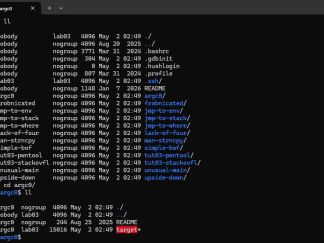
lab03@cs6265:~$ ll
total 76
drwxr-x— 15 nobody lab03 4096 May 2 02:49 ./
drwxr-xr-x 13 nobody nogroup 4096 Aug 20 2025 ../
-rw-r–r– 1 nobody nogroup 3771 Mar 31 2024 .bashrc
-rw-r–r– 1 nobody nogroup 304 May 2 02:49 .gdbinit
-rw-r–r– 1 nobody nogroup 0 May 2 02:49 .hushlogin
-rw-r–r– 1 nobody nogroup 807 Mar 31 2024 .profile
dr-x—— 2 lab03 lab03 4096 May 2 02:49 .ssh/
-rw-rw-r– 1 nobody nogroup 1148 Jan 7 2026 README
drwxr-xr-x 2 argc0 nogroup 4096 May 2 02:49 argc0/
drwxr-xr-x 2 frobnicated nogroup 4096 May 2 02:49 frobnicated/
drwxr-xr-x 2 jmp-to-env nogroup 4096 May 2 02:49 jmp-to-env/
drwxr-xr-x 2 jmp-to-stack nogroup 4096 May 2 02:49 jmp-to-stack/
drwxr-xr-x 2 jmp-to-where nogroup 4096 May 2 02:49 jmp-to-where/
drwxr-xr-x 2 lack-of-four nogroup 4096 May 2 02:49 lack-of-four/
drwxr-xr-x 2 man-strncpy nogroup 4096 May 2 02:49 man-strncpy/
drwxr-xr-x 2 simple-bof nogroup 4096 May 2 02:49 simple-bof/
drwxr-xr-x 3 tut03-pwntool nogroup 4096 May 2 02:49 tut03-pwntool/
drwxr-xr-x 2 tut03-stackovfl nogroup 4096 May 2 02:49 tut03-stackovfl/
drwxr-xr-x 2 unusual-main nogroup 4096 May 2 02:49 unusual-main/
drwxr-xr-x 2 upside-down nogroup 4096 May 2 02:49 upside-down/
In each lab, you are asked to solve a set of challenges (typically 10 challenges, except for the first two weeks). For each challenge, you have to submit three things to the submission site (-A section, -O01/-OCY section): the flag you captured from the challenge, the exploit that you wrote to get the flag, and a write-up that summarizes how you formulated the exploit (see below).
A flag is a 512-byte hex string (like shown below) found in /proc/flag on the CTF server.
$ cat /proc/flag
CB25682B33EF8BF23545A767562A1D5AA33C88EEACC1AE562D950CB9F1E5725D
864725DB51460902ECBD52BA4CBED86A10F3A98A35F6FB71871019702A0E9199
5BC59332C390A3C27D0EC2CE85BC13E956A6027E3171352F90467A8C12346D9A
2A26EE914B3078ED031FDB14BB6224C3D743D79A733FB49EB4E9C1F383CF810E
F6841EE935FE2DA2C57DB4804B6823884B36AE62B08848486918C120E4C2AA94
E1D3F8A6E9E2251AC39E5F37971FB07DFF839E0BC1C4E6C1D4A24E0948F8751B
25BFFE854CD84A8D8E28814398FF192CD9AD37150D83DA872E944DF1552F97DD
1649508E5B9E356925F0762AAF53A4683F48AD4B88C0C863FB03DC5B9C5F77A3
9B3156D4E91ED42B76BDDD3962B39BEAF3520BEC297EC89250F10776A869C2C0
5EAA97231C1F0780B25958FA950816D4DD94C448DF99EC3813183BD20C3006F7
D0825569DAEC45534A355094E4F1A5CC2760F45ED6E8B586DCBA23B27B26E19C
99DDA9B1D17983D1138E3EB7B25BEB927FC34B1FCADEC408CBE7CA04D3E27E39
466D051D4DCA562F292AA623884E9D34BA790E6E46F400F1F6B410F2DDCB8D29
1B0AEBF92CBBA24CB37B8C407F036873C65F568DE58BFD6246ABBABC7D06ADF2
E5A86F2C76E927CF741E8E2B75CAA6530B313EAB80F1C0B7E6B8B22E6D9703C1
A0591DD166168C791A26D32AE6ED3730BA1185B53517436721EE0E3458DB6EF4
Your job is to read this flag by exploiting the provided challenges.
Taking actions #1: registration
Register your account and get an api-key:
Visit the submission site (-A section, -O01/-OCY section) to use the Register menu.
Input your username (preferably your real name), GTID number, and e-mail address (we only accept @gatech.edu accounts), and click the Email api-key button.
You will receive an email with your api-key. You can then use this to log in to the course website.
Taking actions #2: course workflow
-
Log in to your account:
Go back to the submission site to use the Login menu.
Input your received api-key and click the Submit api-key button.
-
You can now connect to the CTF server and begin your lab challenges. You can find ssh details for each lab on Canvas after they unlock.
# log in to one of the CTF servers
# ** Refer to Canvas for ssh information! **
[host] $ ssh lab01@ctf_server_address

# let's start lab01!
[CTF server] $ cat README
[CTF server] $ ./bomb
-
While solving the challenges on the CTF server, you might need to write your own exploit scripts. Feel free to create a directory inside
/tmpto store your files. Note that the CTF server and the lab account are shared with all other users, so avoid using directory names that are easily guessable (e.g.,/tmp/cs6265), and do not reveal your secret directory name anywhere. Listing files (ls) in/tmpis not allowed. Also, we encourage you to keep backups of your files by copying them from the CTF server to your local machine, since/tmpmight get emptied occasionally. -
Submit your flags and write-ups.
Login → Problems → (lab) → Submit (Flag / Writeup)
Remember that your score is only valid after you submit both a flag and a write-up.

Taking actions #3: building local environment (OPTIONAL)
Although you can solve all challenges on the CTF server, it may be inconvenient because you cannot install your own tools. In this case, you can build an environment to study the challenges on your own machine. Please note that you still have to read /proc/flag on the CTF server to get the real flag.
To build your own environment:
-
Download and install VirtualBox:
Download and install the latest version of VirtualBox at https://www.virtualbox.org/wiki/Downloads
Windows: Download and install git at http://git-scm.com/download/win
Note: Ubuntu users may want to use the following command to install VirtualBox:
[host] $ sudo apt-get install virtualbox
-
Download and install Ubuntu 24.04 in VirtualBox:
Download the Ubuntu 24.04 image.
Launch VirtualBox and follow the instructions to install a new VM. A handy walk-through can be found here.
-
Install essential tools inside the VM:
-
To do labs (lab03 and after):
After launching VirtualBox and your Ubuntu VM:
# disable ASLR (before lab05)
[vm] $ echo 0 | sudo tee /proc/sys/kernel/randomize_va_space

# enable ASLR (starting lab05)
[vm] $ echo 2 | sudo tee /proc/sys/kernel/randomize_va_space

# download labXX challenges
[vm] $ scp -r labXX@server:~/[challenge] [your_directory]

# download libc used by the server for analysis (future labs)
# 32-bit
[vm] $ scp labXX@server:/lib/i386-linux-gnu/libc-2.27.so [your_directory]
# 64-bit
[vm] $ scp labXX@server:/lib/x86_64-linux-gnu/libc-2.27.so [your_directory]

# tackle challenges
[vm] $ cd [your_directory_for_challenge]
[vm] $ cat README
...
Feel free to ask for help on Ed Discussion or at office hours if you have any trouble with setup.
General Rules
Points are earned as follows:
-
Each lab has one or two tutorial(s) and 10 challenges.
-
Each challenge is worth 20 points.
-
You must submit a flag, a write-up, and your exploit to earn the points.
-
If you do not submit the write-up, you get 0 points for that challenge.
-
As an exception, you do not need to submit write-ups for the tutorial challenges.
-
-
The maximum points you can get in each lab is 220 if it has one tutorial (20 × 11 flags), or 240 if two (20 × 12).
-
Hints: we will provide up to two hints per challenge.
-
You can view them on the challenge page (Submission site → Lab N → Problem name → Hints: Show).
-
Hints cost one point to open.
-
Later labs generally have few or no hints available.
-
-
Late policy: challenges submitted within one week past the due date will receive 50% of the original points.
Write-ups
You must submit a write-up for each challenge to get the actual points.
-
Your write-up must be in plain text formatted with Markdown syntax:
-
Your write-up must contain
-
a description of how you solved the challenge,
-
a description or log of how AI was used, and
-
the actual exploit (i.e., code!).
-
-
Your write-up must be specific enough that we can run and validate your exploit ourselves. Include how you solved the challenge, what tools you used or developed, and what problems you ran into.
-
You don’t need to submit write-ups for the tutorial challenges.
-
Your write-up description must be entirely human-written.
Here is an example write-up:
1) Write-up:

This binary stores its return addresses and frame pointers in a separate
stack; while we can overwrite those values on the regular stack, it
accomplishes nothing.

`main()` puts a pointer to `exit()` in its stack frame, which it jumps to
after `start()` finishes. We can overwrite this during `start()`'s buffer
overflow to instead point to `jump_to_here()`, which prints the flag.

Conveniently, due to the return-address protection and the fact that
`start()` doesn't have many meaningful local variables, we don't need
to be careful about the other values we clobber on the stack on the way
to `main()`'s local function pointer. The correct return addresses are
restored at the end of each function.

2) AI usage:

Prompts
- Here is the GDB output of registers when the program crashed,
  use cyclic to figure out what offset I need to use for the return address
- Write me a GDB command file that breaks at the moment before jumping
  at the hijacked return address

3) Exploit:

    #!/usr/bin/env python3

    from pwn import *
    p = process('./target')
    p.sendline(cyclic(52) + p32(0x8048948))  # (jump_to_here())
    p.interactive()
Use of AI Tools
AI tools are allowed to assist solving lab challenges in this course. However, please follow these guidelines and recommendations:
-
You are expected to understand your labs: do not one-shot challenges.
-
We introduce debuggers, decompilers, and exploit libraries throughout the course. Think about how to combine them with AI in effective ways that scale.
-
Write-up descriptions must be human-written.
-
Any flags accompanied with AI-generated write-ups will be scored 0.
-
Uploading exploit code generated by AI is permitted.
-
-
Do not install or run AI harnesses unsupervised on the lab servers.
TKCTF
Info
The last lab of the class is a 24-hour Capture The Flag (CTF) with challenges from various topics of the class. The challenges will be created by the staffs and participating students. Teams of students will compete in the competition and earn points for lab 10.
This year, we’re opening up the competition to the public, welcoming external teams to join in the fun!
The CTF will last from December 4, 3:30 pm EST until December 5, 3:30 pm EST.
Teams
Each team has 3-4 players. Sign your team up on the spreadsheet.
Once the competition platform is set up, each member needs to sign up and and join your team.
Only one member needs to create the team and share the team name and team password for other members to join. Please note that user and team names are fixed and cannot be changed after creation.
For the competition, we recommend you create a team chat where you can easily communicate. Voice chat and screen sharing may be very helpful when you work on challenges together.
Scoring
The details of the scoring may be subject to change!
1. CTF scoring
The score in the CTF consists of two parts: attack points and defense points. This is NOT your actual class score – see the next section.
-
Attack score: up to 500 points for each solved challenge
-
Dynamic scoring decreases the points per challenge as more teams solve it
-
The minimum score for each challenge is 250 (50%)
-
-
Defense score:
-
0 teams solve your challenge: 0 points
-
N/2 teams solve your challenge: 2500 points (5 challenges worth)
-
N teams solve your challenge: 1250 points (2.5 challenges worth)
-
Otherwise, your score is linearly interpolated within those ranges.
-
2. Translation of CTF score to class score
This only pertains to CS6265 students.
The class score is calculated as the sum of base points and ranking points.
-
Base points:
-
20 points, awarded for solving at least one challenge
-
-
Ranking points:
-
First-place team, which scored Z CTF points, gets 380 ranking points.
-
“First-place team” might be either per-section or overall, depending on how many online-section/external teams participate.
-
Other teams, which scored X CTF points, get 380 * X/Z ranking points.
-
In other words, the first-place team gets 400 class points, and everyone else’s CTF scores will be scaled accordingly, with a minimum of 20.
Example: Team A scored 1500 points in the CTF, Team B scored 2000 points and wins the competition. Thus, Team B gets 400 class points: 20 base points + 380 ranking points. Team A also gets 20 base points. In addition, they get (1500/2000)*380=300 ranking points (linear scaling). Overall, Team A gets 320 (=20+300) points for the class ranking.
We may increase the base points if the average score is too low. In that case, the maximum possible ranking score decreases by the amount we increase the base points (in other words, the first team will always have 400 points).
Challenge Template and Submission
The deadline for challenges submission is November 29th 11:59 pm. Challenge submission is mandatory for onsite (-A) students and optional for all others (but necessary to score defense points).
The challenge template is available at https://tc.gts3.org/cs6265/2026-fall/_static/ctf-template.zip. Submit a link to your challenge archive through this form.
You can submit a pwnable challenge (class-style challenges) or another type. You can check https://ctftime.org/writeups for other types of challenges, and you are free to submit any type of challenge.
/NAME                : team-name:challenge-name (e.g., `staff:fmstr`)
/PORT                : a port number

# all files to run your service
/docker/Dockerfile   : Dockerfile
       /target       : target binary
       /flag         : follow this format: tkctf{please submit this flag!}

# all files to be released to participants
/release/README.md   : guideline
        /target      : target binary, if you want to release

# source/exploit for your team and organizer
/source/exploit.py   : exploit code
       /test.sh      : build docker, run, run exploit.py and print out flag
       /writeup.txt  : solution
       /src/         : source code
-
Change the
NAMEfile to your challenge name:teamname:challenge(e.g.,staff:fmtstr) -
Change the
docker/flagfile as you wish, but wrap it insidetkctf{...}(e.g.,tkctf{please submit this flag!})
The source code of the challenge locates in source/src/, which contains its source (fmtstr.c) and makefile (Makefile). The makefile includes various defense options you can enable (e.g., CFLAGS += -fstack-protector). Please carefully enable them as you’d like for your challenge.
$ wget https://tc.gts3.org/cs6265/2026-fall/_static/ctf-template.zip
$ unzip ctf-template.zip

$ cd ctf-template
$ make help
dist  : build the target and distribute to docker/release
build : build the docker image
run   : run the docker container
test  : test the exploit
submit: zip for submission
Keep in mind that the best challenge should be fun and educational. Please don’t design a challenge that requires any random/pure guessing (but well-designed bruteforcing is fine).
You can replicate real security vulnerabilities, like mini-sudo or mini-heartbleed. There are a few sources that you can refer to: